
ROLL TO LOOKSMAX Join the MOGGY! Group
Unlock GROUPGANG, support future codes, and sync membership before you redeem.
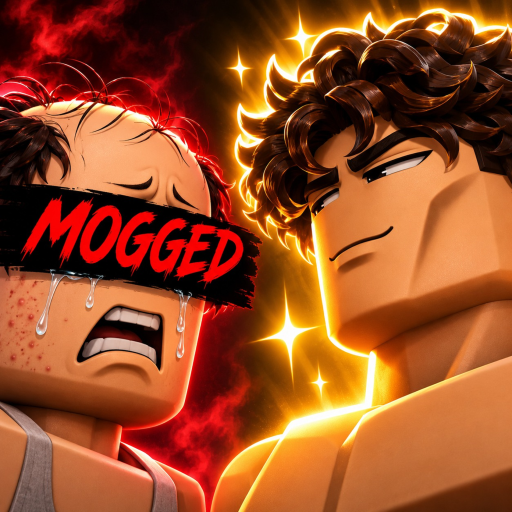
MOGGY! is the creator group behind ROLL TO LOOKSMAX. Joining is not a random social chore—it is part of the official reward pipeline. The game description asks players to join the group for exclusives, and the launch-window code GROUPGANG only works for members. This guide covers why membership matters, how GROUPGANG exclusivity works, why likes and favourites feed future codes, the exact Roblox join flow, and how to rejoin the experience so group status refreshes.
Official destinations are collected on Wiki Links. Free reward table: Codes Hub. Redeem troubleshooting: How to Redeem Codes.
Why join MOGGY!
| Reason | Payoff |
|---|---|
| Group-gated codes | GROUPGANG grants a Mog FX Crate to members only |
| Future exclusives | Launch text frames the group as the home for member rewards |
| Creator signal | Shows you are on the real experience lineage (owner siregadz / Gads) |
| Prestige cue | In 8-player lobbies, committed players often share group tips |
| Anti-phishing | Bookmarking the real group id reduces fake “verify for codes” clones |
Group id: 143138944. Experience place id: 84986900845010. Universe id: 10775453729. If a link does not resolve to those ids, leave.
GROUPGANG exclusivity
As of late November 2026, the confirmed member-only string is:
- Code:
GROUPGANG - Reward: Free Mog FX Crate
- Gate: Must be in MOGGY! before redeeming
Typical failure: redeem first, join later, then wonder why the UI rejects you. Correct order:
- Join MOGGY! on Roblox.
- Fully leave and rejoin ROLL TO LOOKSMAX (or hop servers) so membership caches.
- Open left-menu CODES and enter
GROUPGANGexactly. - Open the Mog FX Crate when you are ready to learn finishers (How to Mog Off, Titles & Crates).
GROUPGANG is separate from the timed Aura dump on RELEASE (ends 27 Nov) and the visit milestone 10KVISITS. Claim member and public codes together on day one—see Getting Started and Milestones & Expiry.
Like, favourite, and the code pipeline
The official description asks players to like and favourite the experience for more codes, and to join the group for exclusives. That is the public pipeline—not a wiki invention:
- Like — quick support signal on the Roblox game page
- Favourite — keeps the experience easy to relaunch and signals demand
- Group join — unlocks member rewards such as
GROUPGANG
None of these replace playing the loop (roll → Mog Off → titles → serums → rebirth). They accelerate how often free inventory appears. When visits climb (already past the early 10K celebration into the ~113K+ band), expect the team to keep using description + group messaging for drops. Do not invent future code strings; wait for confirmation and check Codes.
How to join MOGGY! on Roblox
- Open the group page: MOGGY! on Roblox (id
143138944). - Confirm the owner lineage matches siregadz / Gads—not a lookalike group with a similar name.
- Tap Join Group / equivalent join control while logged into the account you play on.
- Accept any membership prompt. You do not need a paid role for basic join-gated codes in the launch window.
- Optionally open the game page, then like and favourite it.
- Launch or rejoin ROLL TO LOOKSMAX so the experience sees updated group status.
If you play on multiple accounts, each account needs its own join before that account can redeem GROUPGANG.
Rejoin the experience after joining
Roblox group permissions sometimes lag for a minute inside an already-running server. If GROUPGANG fails right after you join:
- Leave the experience completely (do not only hide the menu).
- Wait briefly, then join again from the official place link.
- Open CODES and retry once with exact spelling.
- If it still fails, confirm you are still in MOGGY! on the website, then try one more rejoin.
- Avoid VPN flapping and third-party “auto join” tools—they cause more cache bugs than they solve.
Full redeem diagnostics: How to Redeem Codes.
How membership fits the day-one path
Ideal order for new players:
- Spawn and learn the HUD (Getting Started)
- Join MOGGY! + like/favourite
- Redeem
RELEASEfirst while it is live through 27 Nov - Redeem
10KVISITS,LOOKSMAXXED,MOGGED, thenGROUPGANG - Spend Aura and open crates with a plan (How to Farm Aura)
Skipping the group means skipping a Mog FX path that other players in your lobby may already flex.
Safety and fake groups
Phishing pages clone thumbnails and ask you to “verify membership” on a non-Roblox site. Rules:
- Only join groups on roblox.com
- Match group id 143138944
- Never type your password into a “group code unlock” form
- Never paste loadstrings to “force group rewards”—no verified scripts exist for this title (Scripts Hub)
Related route
- Codes Hub — full promo table
- How to Redeem Codes — CODES menu + group-gate fixes
- Wiki Links — official game + group URLs
- Getting Started — first-hour checklist
- November 2026 Update — launch asks and deadlines
Join once, rejoin the game, redeem GROUPGANG, and keep MOGGY! bookmarked. Membership is the cheapest Mog FX and the clearest way to stay on the real creator’s reward channel while ROLL TO LOOKSMAX is still in its launch month.
Frequently Asked Questions
Quick answers about rolling looks, Mog Off, Aura, and rebirth.
What is the MOGGY! group id?
143138944. Use the official Roblox group link from Wiki Links and confirm owner siregadz / Gads.
Why does GROUPGANG fail after I join?
Group status often needs a full rejoin. Leave the experience, come back, then redeem again via How to Redeem Codes.
Do likes and favourites give codes instantly?
They support the developer-stated pipeline for more drops. They are not a second redeem UI—watch Codes for confirmed strings.
Is GROUPGANG the only reason to join?
It is the clearest launch exclusive, but membership also positions you for future group rewards and reduces fake-group phishing risk.
Where does group join sit in the beginner path?
Right after HUD basics and before finishing all redemptions—see Getting Started.